
ROB RUN ESP Explained: Player, Vehicle and Loot Info Without the Clutter
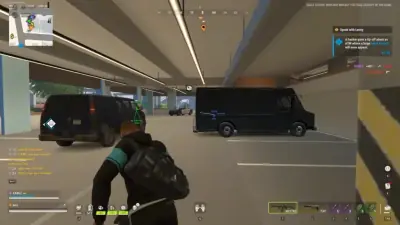
ROB RUN ESP covers players, vehicles, loot, hideouts and more. Here is what each part shows and how to keep it from turning into noise.
ESP means the game's hidden information is drawn on your screen. In a crime sandbox like ROB RUN, where cops, robbers, civilians and NPCs share the same streets, that information changes how you move.
The ESP in the ROB RUN cheats menu goes beyond simple boxes. Here is what it covers.
Player ESP
You can draw full, corner, 2D or 3D boxes, plus skeletons, head circles, health bars and armor readouts. Names, aliases and clan tags can be shown. Role tags separate criminals, cops, civilians and NPCs, and police can get their own highlight and color.
Other options show the wanted or heat state, the weapon or item a player is holding, and action states such as shooting, running, reloading, arrested or downed. Snaplines and out-of-screen arrows point toward players you cannot see, and an indicator tells you when someone is aiming at you.
Glow and chams
If you prefer outlines to boxes, glow and chams are available in outline, fill or combined styles. Police can have a separate color, and there is a max distance setting.
Vehicle ESP
Vehicle ESP shows the vehicle name, distance, whether it has an owner, whether it is empty or occupied, and whether it is locked. Health, fuel, speed, engine and cargo readouts are available, along with garage and spawn markers. You can filter by role, such as police, robber, civilian or unowned, and hide your own vehicle.
Loot and world markers
Dropped items and cash can show icons and prices. A minimum value filter hides low-value items, and category filters cover weapons, ammo, armor, medicine, keys, tools and valuables. Safes, workbenches, hideout entrances, capture points, heist objectives and vendors can also be marked.
Bases and security
Base ESP covers owner or clan, buildings, raid state and lock timers, defense modules, workbenches, a money laundering station, a crypto farm and workbench timers. Security options include cameras, camera coverage cones, guard posts, alarms and vault doors.
Radar
The 2D radar can show players, vehicles, loot, cameras, hideouts, objectives and banks or roulette spots. You can change its size, range and zoom, turn on auto zoom, and add distance rings or a field of view cone.
Keeping the screen readable
More options does not mean turning everything on. A few habits help:
- Set a max distance for players, vehicles and world items so far-off labels do not pile up.
- Use the minimum value filter for loot so only worthwhile drops appear.
- Hide teammates and clan members.
- Use battle mode, which hides world labels in combat and can keep enemies only.
- Save a few configs, for example one for heists and one for open-world roaming, and switch between them.
Where ESP fits
ESP works best alongside aim assistance. Pair it with the aimbot and triggerbot settings if you want both. For the complete picture, see what the full menu includes, or go straight to the ROB RUN product page.